Trade Entry
Every change to your holdings is a trade: value leaves one holding and enters another. Deposits, withdrawals, conversions, salary, interest and dividends are all just trades. A deposit, for example, is a trade from your bank's cash line into whatever you bought.
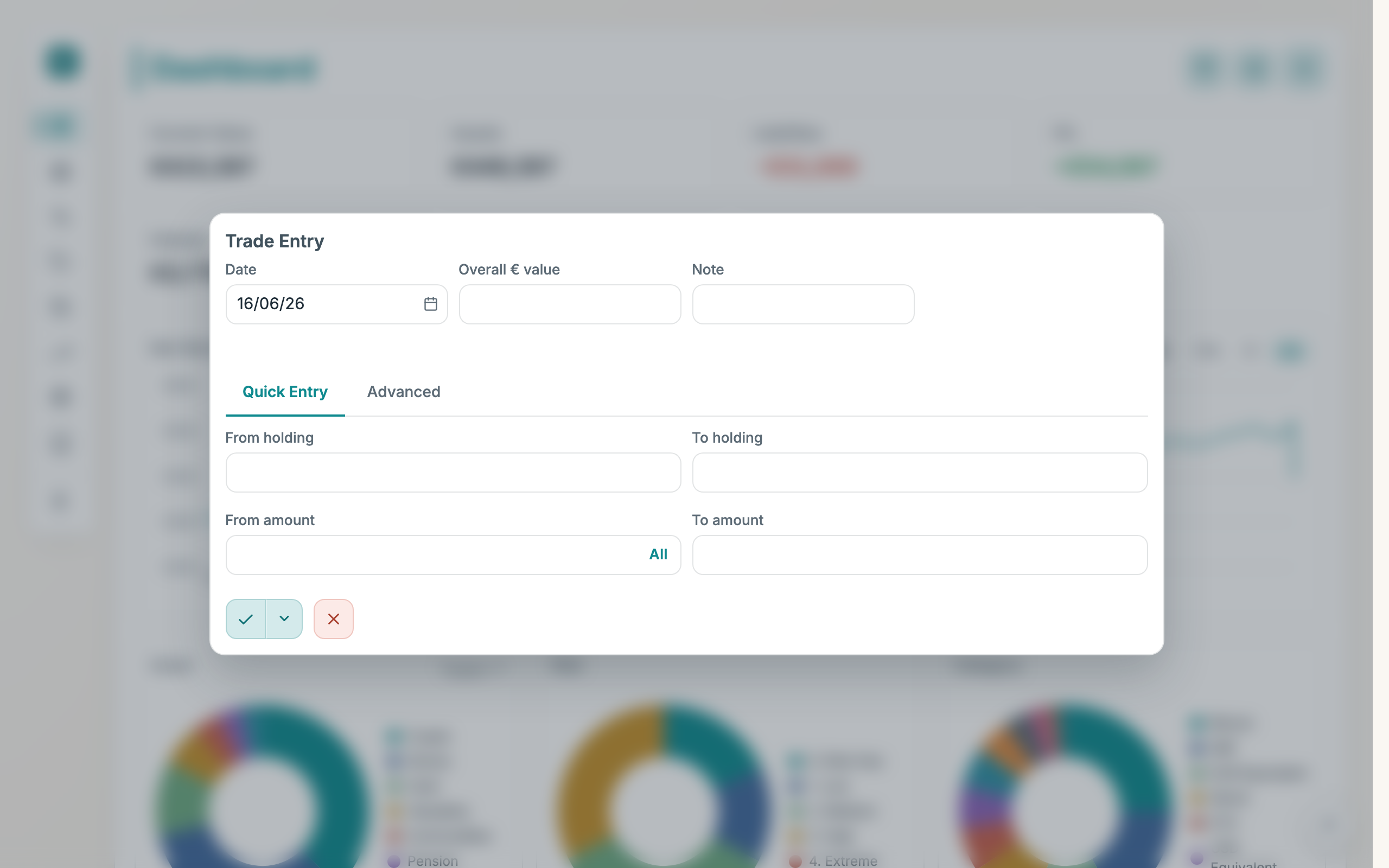
How to use
- Pick the Date (defaults to today).
- Enter the Overall € value, the total euro value of the trade, not the price per unit.
- Optionally add a Note.
- Enter the two sides. In Quick Entry, pick the From holding and To holding from your existing holdings and type the From amount and To amount, or switch to Advanced to spell out each side in full (provider, portfolio, ticker, risk, category, asset, description) and create a brand-new holding.
- Click Save Trade.
- To repeat the trade automatically, open the arrow next to Save Trade, choose Make Recurring, set the Frequency (Daily, Weekly or Monthly) and the day, then save.
Good to know
- Overall € value is the total, not the unit price. Buying 0.1 BTC at €50,000 is an overall value of €5,000.
- Quick Entry only lists holdings you already have. To start a new holding, use Advanced.
- The All button fills in your full balance. Next to From amount in Quick Entry, it sells the entire selected holding.
- Both sides are always required. A pure deposit still has two sides: from your bank cash into the new holding.
- Saving a trade also sets a price. The value and amounts you enter become an implied price you'll see on the Prices tab.
- To edit a past trade, open it from History. The form fills in, and saving updates that trade.