Prices
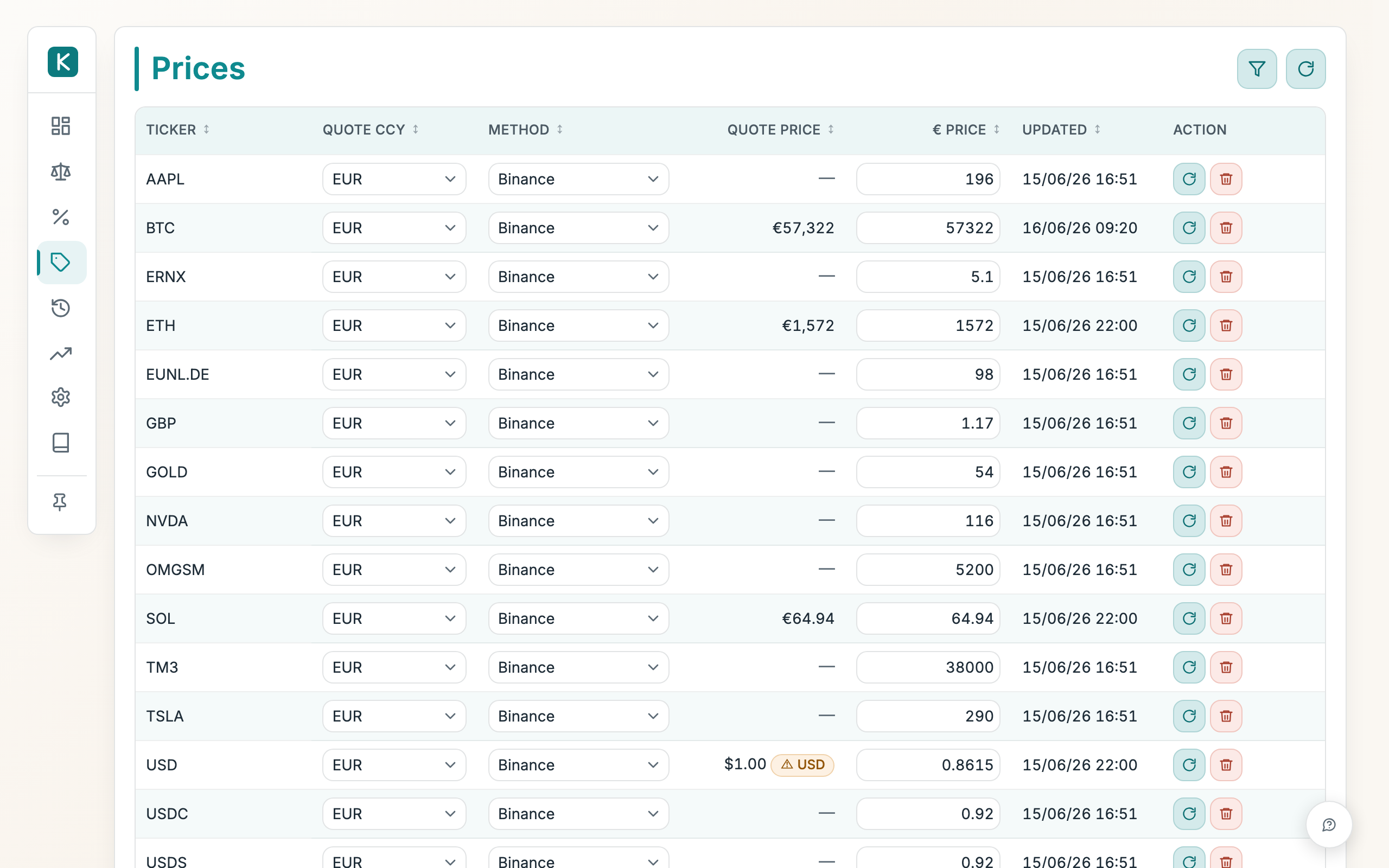
The one place where the current price of each ticker lives. This page shows what each ticker is worth in euros now, which source keeps it up to date, and when it last changed.
How to use
- Use the filter bar (the funnel button) to narrow down to the tickers you care about.
- Set each row's Method to pick where its price comes from: Binance, Alpha Vantage, ECB (USD only), Zerion, Mirror USD, or Manual.
- Set Quote Ccy to the currency the source quotes in; the app still converts everything to euros.
- To type a price yourself, edit the € Price box in the row.
- Click Refresh all prices (the circular arrow, top right) to pull fresh quotes for every non-manual ticker, or use the row's refresh button to update just one.
- Use the row's delete button to remove a price you no longer want stored.
Good to know
- The € Price column is always in euros, whatever currency the source quotes in. The Quote Ccy column only tells you the source's original currency.
- Manual rows never auto-update. Refresh all prices and the per-row refresh both skip any row set to Manual. Change one by editing its € Price by hand.
- Stocks, commodities and money-market funds price through a waterfall under the Alpha Vantage method: Twelve Data first, then Alpha Vantage. Each provider tries the shared key, then your own key if you've set one in Settings → Stock prices.
- Adding your own key is free and worth it. Both Twelve Data and Alpha Vantage hand out a free API key in under a minute (no card). The shared key is rate-limited across everyone, so on busy days a refresh can come back empty; your own key gives you a private quota that nobody else draws down, so prices keep updating. It's only ever used as a fallback — set it once and forget it.
- Mirror USD tracks a USD-pegged value (useful for dollar stablecoins), converted to euros.
- A stale Updated time is normal for thinly-traded assets or over the weekend.
- EUR is fixed and cannot be edited or refreshed.