Yield
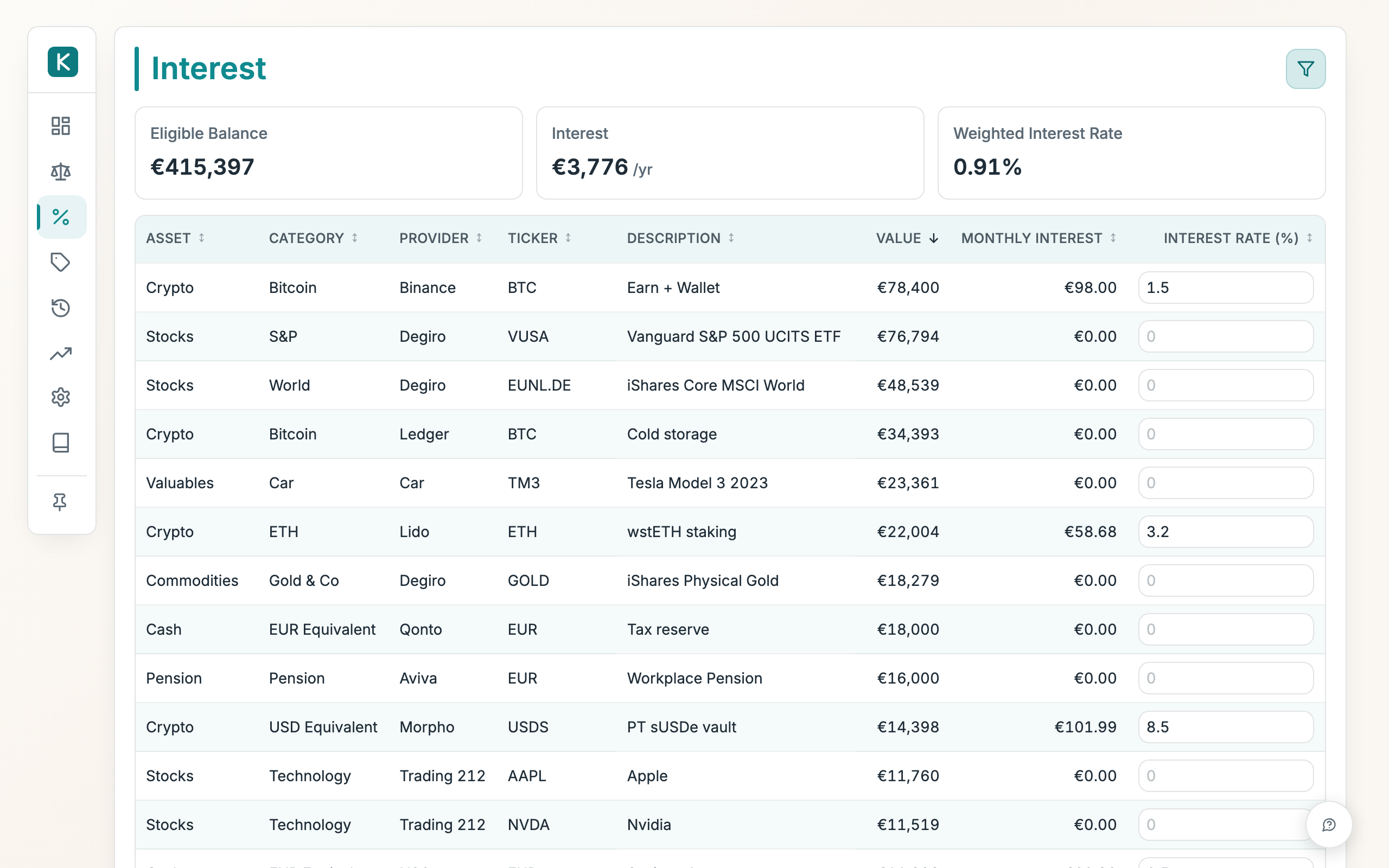
Track the yield on your interest-bearing holdings (savings, money-market, lending, staking) as well as what your liabilities cost. You type the annual rate for each line and this view shows what it earns (or costs) per month and the total across everything.
How to use
- Find the line you want in the table and type its annual rate into the Rate (% / yr) box. It saves as soon as you leave the box.
- Read the Monthly yield column to see what that line earns each month. A negative figure is a cost.
- Check the cards up top: Total Value is the total value of the lines you're looking at, Yield is their combined annual and monthly figure, and Weighted Yield is the average rate across the interest-bearing balance.
- Sort the table by Monthly yield or Rate (% / yr) to find your best and worst yielders.
- Use the filter bar (Portfolio, Asset, Risk, Category, Provider, Ticker) to narrow the list; the cards update to match. Reset clears the filters.
Positive and negative rates
The rate is signed, and its sign is its effect on your net worth:
- Positive rate, earns money. Use it for assets that pay you (savings, money market) and for a provision whose set-aside cash sits in an earning account.
- Negative rate, a cost. Use it for debt or a mortgage you service: enter the rate with a minus sign (e.g.
-4) and the monthly figure shows as a cost.
The yield is always computed on the size of the balance, so it works the same whether the line is an asset or a liability.
Good to know
- To clear a rate, empty its box. The line then shows no yield.
- Every line with a value appears, assets and liabilities alike. Turn off Hide empty in the filter bar to include empty lines elsewhere.
- The rate is simple, not compounded. Monthly yield is the annual yield divided by twelve.